15 Best Free Online Learning Platforms to Learn New Skills in 2026 Learning a new skill no longer requires expensive tuition fees, a university admission, or a large investment in educational resources. Today, anyone with an internet connection can explore subjects, develop professional abilities, and access learning materials from universities and leading technology companies. Whether
15 Best Free Online Learning Platforms to Learn New Skills in 2026
Learning a new skill no longer requires expensive tuition fees, a university admission, or a large investment in educational resources. Today, anyone with an internet connection can explore subjects, develop professional abilities, and access learning materials from universities and leading technology companies.
Whether you want to learn graphic design, improve your English, understand digital marketing, study business, or start a career in programming, there are plenty of free online learning platforms that can help you get started.
The challenge is finding websites that offer genuinely useful free education rather than simply advertising free courses that require payment to access important lessons or receive certificates.
Some platforms provide complete courses at no cost, while others let you study selected materials for free but charge for certificates, graded assignments, or additional features. Understanding these differences can help you choose the right learning resource without unexpected expenses.
In this guide, we explore 15 useful online learning websites, explain what you can learn on each platform, and compare their free courses, certificates, and limitations. Whether you are a student, beginner, job seeker, or working professional, you will find options to support your learning goals without spending money.
What Are Free Online Learning Platforms?
Free online learning platforms are websites or digital education services that provide access to educational courses, tutorials, lectures, training materials, or practical exercises without requiring learners to pay for at least some of their learning content.
These platforms cover a wide range of subjects, including:
Computer programming and web development
Digital marketing and social media
Business management and entrepreneurship
Mathematics and science
English language and communication
Graphic design and creative skills
Personal finance and productivity
Artificial intelligence and technology
Not every website follows the same pricing model. Some offer entirely free educational resources, while others provide free access to selected courses and charge for optional certificates or advanced learning features.
For example, MIT OpenCourseWare makes university course materials freely available without registration, whereas Coursera and edX offer different free-access arrangements depending on the individual course.
Therefore, it is important to check the enrollment options before starting a course, particularly if you need a certificate or formal assessment.
Benefits of Learning New Skills Online for Free
Free online education offers more than an opportunity to save money. It allows people to explore new interests, improve existing abilities, and prepare for different career opportunities at their own pace.
Here are some important advantages.
1. Learn Without Expensive Tuition Fees
Traditional education and professional training can be expensive. Online learning provides an alternative for people who cannot afford paid courses or formal training programs.
You can explore programming, business, communication, and other subjects through free educational resources without paying tuition fees.
2. Study at Your Own Pace
Many online courses are self-paced, allowing you to study according to your schedule.
Students can review difficult lessons, working professionals can learn after office hours, and beginners can spend additional time understanding unfamiliar topics.
3. Explore Different Career Skills
Online education makes it easier to investigate career paths before committing to expensive training.
For example, someone interested in digital marketing can begin with free lessons about SEO, social media marketing, and content strategy. A person considering web development can start learning HTML, CSS, and JavaScript.
4. Access International Educational Resources
Many learning platforms provide courses and educational materials created by universities, educators, and established technology companies.
This gives learners opportunities to explore subjects they might not otherwise encounter through their local educational institutions.
5. Improve Your Career Opportunities
Developing practical skills can help you prepare for job applications, freelance projects, and professional responsibilities.
Although completing a free online course does not guarantee employment, combining relevant knowledge with practical projects can strengthen your professional abilities.
6. Learn Before Spending Money
Free courses are also useful for testing your interest in a subject.
Instead of purchasing an expensive programming or design course immediately, you can explore introductory lessons first. If you enjoy the subject, you can decide whether more advanced training is worth the investment.
15 Best Free Online Learning Platforms in 2026
The following websites offer different approaches to online education. Some focus on academic subjects, others specialize in professional development, and several provide practical training for specific careers.
The platforms are not ranked by quality because the best choice depends on what you want to learn.
1. Coursera

Coursera is one of the most widely known online education platforms. It works with universities and organizations to provide courses in subjects such as business, computer science, data analytics, information technology, and personal development.
Its course selection is particularly useful for people who want to explore university-style education or develop skills related to professional careers.
What can you learn?
Digital marketing and business management
Data science and artificial intelligence
Programming and computer science
Project management
Psychology and personal development
Communication and leadership
What is free?
Coursera’s free-access options vary by course. Many courses offer a free first-module preview, while some learning opportunities have other free-access arrangements. Do not assume that an entire course is free simply because it appears in a free-course search.
Are certificates free?
Generally, no. Certificates and full access to many courses require payment. Financial aid may also be available for eligible learners and courses.
Who should use it?
Students, graduates, job seekers, and professionals interested in university-created learning materials.
Important limitation: Check the enrollment page carefully. A free preview is not the same as free enrollment in the complete course.
Coursera+2
2. edX

edX provides online courses developed by universities and educational institutions. It is a useful destination for learners who want to study academic and professional subjects through structured educational materials.
You can explore topics ranging from computer science and engineering to business, humanities, and data science.
What can you learn?
Computer programming
Artificial intelligence and machine learning
Business and management
Mathematics and science
Data analysis
Language and communication
What is free?
Many eligible edX courses offer a free audit option. This generally provides access to selected course materials, including videos and readings. However, graded assignments and some additional features are restricted.
Audit availability and access duration depend on the course.
Are certificates free?
Verified certificates are paid. The price varies by course, and the paid track generally includes additional assessment features.
Who should use it?
University students, independent learners, and professionals interested in academic subjects and structured courses.
Important limitation: Not every course offers free auditing. Check the available enrollment options before registering.
edX Help Center+2
3. Khan Academy

Khan Academy is a nonprofit educational platform that provides free lessons and practice activities for students and independent learners.
Unlike websites primarily focused on professional certificates, Khan Academy concentrates on building a strong understanding of academic subjects.
Its lessons are particularly helpful for learners who want to improve their knowledge gradually, starting with basic concepts and progressing towards more advanced material.
What can you learn?
Mathematics and algebra
Physics, chemistry, and biology
Computer programming and computing
Economics and finance
History and social studies
English language arts
Test preparation
What is free?
Khan Academy provides its core learning resources free of charge. Learners can access lessons, instructional videos, practice exercises, and progress-tracking features without purchasing individual courses.
Are certificates free?
Khan Academy is primarily a learning and practice resource rather than a professional certification provider. It does not offer conventional professional course-completion certificates.
Who should use it?
School students, parents, teachers, and beginners who want to strengthen their academic knowledge.
Important limitation: Its main strength is academic learning. People seeking specialized professional credentials may need another platform.
Free Online Courses, Lessons & Practice+1
4. Alison
 Alison is a useful option for people looking for free online courses in professional development, business, technology, and personal skills.
It offers a broad course catalogue, including introductory lessons for beginners who want to explore different subjects without paying tuition fees.
What can you learn?
Business administration
Project management
Human resources
Customer service
Information technology
Health and safety
Communication and personal development
What is free?
Alison allows learners to study and complete its courses without paying course tuition. However, its business model includes advertising and optional purchases.
After completing a course, learners can download a free Learner Record showing their completed courses and results.
Are certificates free?
Most digital and printed certificates are optional paid purchases. The free Learner Record provides an alternative way to document completed learning.
Who should use it?
Beginners, job seekers, students, and people interested in developing workplace skills.
Important limitation: Completing a free course does not automatically mean you receive a free downloadable certificate. Check the certificate options before enrolling.
Alison Help Center+2
5. OpenLearn

OpenLearn is the free learning platform of The Open University in the United Kingdom.
It offers educational materials based on university-level subjects, making it a useful resource for people who want to explore academic topics and improve their professional or personal knowledge.
The platform provides courses in different lengths, so learners can choose shorter introductions or more detailed learning experiences.
What can you learn?
Business and management
Education and teaching
Psychology and mental health awareness
History and literature
Science and technology
Personal development
What is free?
OpenLearn courses are free to study. Learners can also download certain course materials for offline learning.
Are certificates free?
Yes. Completing an eligible course allows you to obtain a free Open University Statement of Participation. Some courses also award free digital badges.
These achievements do not carry formal academic credit towards a qualification.
Who should use it?
Students, lifelong learners, professionals, and anyone interested in university-level educational resources.
Important limitation: Statements of participation and digital badges demonstrate learning but are not equivalent to an accredited university qualification.
Open University+2
6. MIT OpenCourseWare

MIT OpenCourseWare (OCW) is an excellent resource for independent learners who want access to educational materials from the Massachusetts Institute of Technology.
Instead of offering conventional online courses with instructor supervision, the platform publishes course materials from MIT subjects and academic programs.
You can use these resources to explore advanced topics or follow a structured study plan independently.
What can you learn?
Computer science
Mathematics
Physics and engineering
Economics
Biology and chemistry
Architecture
Business and management
What is free?
MIT OpenCourseWare provides publicly accessible course materials, including lecture notes, reading lists, assignments, examinations, and video lectures for selected courses.
There is no enrollment fee or registration requirement.
Are certificates free?
No. MIT OCW does not provide certificates, grades, academic credit, or instructor interaction.
Who should use it?
Independent learners, university students, researchers, and people interested in studying subjects using university-level materials.
Important limitation: You need self-discipline because the platform is designed for independent study rather than a fully supervised classroom experience.
MIT Learn+2
7. freeCodeCamp
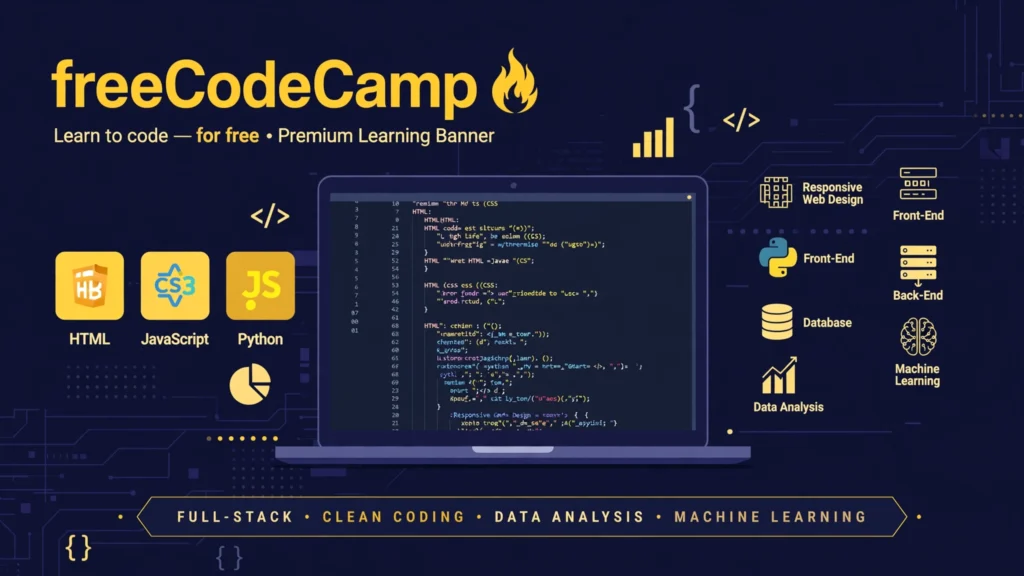
If you want to learn programming without paying for expensive coding courses, freeCodeCamp is one of the strongest options to consider.
It is a nonprofit educational platform focused on helping people develop practical programming skills through interactive exercises, coding challenges, and projects.
Rather than simply watching video lessons, learners spend time writing and testing code.
What can you learn?
HTML and CSS
JavaScript
Python
Responsive web design
Front-end development
Back-end development
Database management
Data analysis and machine learning
What is free?
The core curriculum, coding challenges, educational articles, and certification projects are available free of charge.
Are certificates free?
Yes. Learners can earn free certifications by completing the required coursework and passing the certification project tests.
Who should use it?
Students, aspiring web developers, freelancers, and beginners who want practical programming experience.
Important limitation: Learning programming takes time and consistent practice. Completing lessons alone is not enough to become job-ready; building independent projects is also important.
freeCodeCamp+1
8. Google Skillshop

Google Skillshop provides online training designed to help people understand and use Google’s professional products.
It is especially useful for learners interested in online advertising, digital marketing, and understanding how Google’s advertising tools work.
The lessons are designed around practical product knowledge and can be completed according to your schedule.
What can you learn?
Google Ads
Search advertising
Display advertising
Video advertising
Shopping advertising
Advertising measurement
Google marketing products
What is free?
Google provides free online training through Skillshop. Learners can study available learning paths without purchasing the training courses.
Are certificates free?
Google Ads certifications are available through Skillshop without a separate certificate purchase. However, certification requirements and available assessments depend on the learning program.
Who should use it?
Digital marketers, bloggers, freelancers, advertising professionals, and small business owners.
Important limitation: Skillshop focuses on Google’s products and services. Its training is not a complete substitute for learning broader marketing subjects such as content strategy, branding, and market research.
Skillshop+1
9. Microsoft Learn
Microsoft Learn is an online training resource for people who want to develop technical skills and understand Microsoft technologies.
It provides structured learning paths, individual modules, documentation, and practical training activities.
The platform is particularly helpful for learners interested in cloud computing, artificial intelligence, data, and business technology.
What can you learn?
Microsoft Azure
Artificial intelligence
Power BI
Microsoft 365
Cloud computing
Data analysis
Software development
Cybersecurity
What is free?
Microsoft Learn training is free. Learners can access self-paced learning modules, documentation, and many interactive learning activities.
Creating a profile is optional for accessing the learning content, although signing in provides additional progress-tracking features.
Are certificates free?
Microsoft Learn achievements and learning progress are free. However, formal Microsoft certification exams generally require payment, although eligible learners may have access to discounts or vouchers.
Who should use it?
IT students, software developers, aspiring cloud professionals, and people interested in Microsoft technologies.
Important limitation: Some advanced practical activities may have specific resource or account requirements. Do not confuse completing a learning path with passing a formal Microsoft certification exam.
Microsoft Learn+2
10. HubSpot Academy
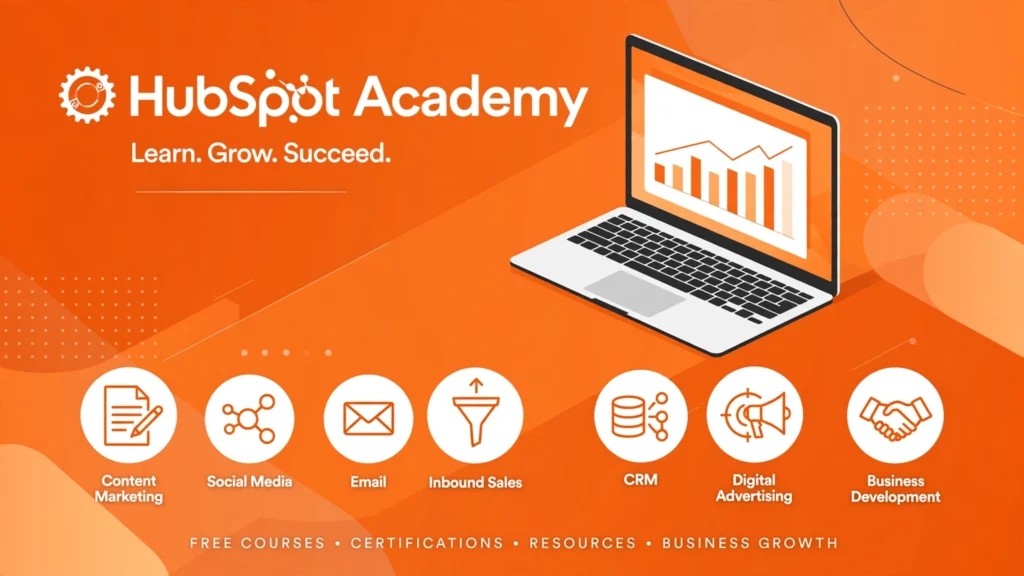
HubSpot Academy is particularly valuable for people interested in marketing, sales, customer service, and business growth.
The platform provides educational courses that combine professional knowledge with practical examples. It is a useful destination for bloggers, entrepreneurs, and small business owners who want to understand how businesses attract and communicate with customers.
What can you learn?
Content marketing
Email marketing
Inbound marketing
Sales strategies
Customer relationship management
Digital advertising
Business development
What is free?
HubSpot Academy offers free online training and access to its educational courses.
Are certificates free?
Yes. Eligible HubSpot Academy certification programs offer free certifications after learners complete the required lessons and assessments.
Who should use it?
Bloggers, digital marketers, freelancers, small business owners, and people interested in sales and customer service.
Important limitation: Some lessons focus on HubSpot’s own products and methodology. Learners should combine this knowledge with broader marketing experience and practical projects.
Homepage+2
11. Harvard Online Learning

Explore Harvard’s Free Courses
Harvard University offers online educational opportunities through its online learning catalogue, including courses from Harvard faculty and affiliated programs.
Its free-course catalogue is worth exploring if you are interested in university-level education, computer science, science, or humanities.
Some courses are delivered through edX, where learners can choose between free auditing and paid certificate options.
What can you learn?
Computer science
Programming
Data science
Artificial intelligence
Humanities
Business and management
Science and research
What is free?
Selected courses are available to audit for free. For example, Harvard’s CS50: Introduction to Computer Science has offered a free audit option.
Are certificates free?
Certificates are generally paid for courses offering a verified certificate. The price depends on the individual course.
Who should use it?
University students, aspiring programmers, researchers, and learners who want to explore academic subjects.
Important limitation: Not every Harvard online course is free. Check the individual course page for its current audit and certificate options.
Harvard University+2
12. Saylor Academy
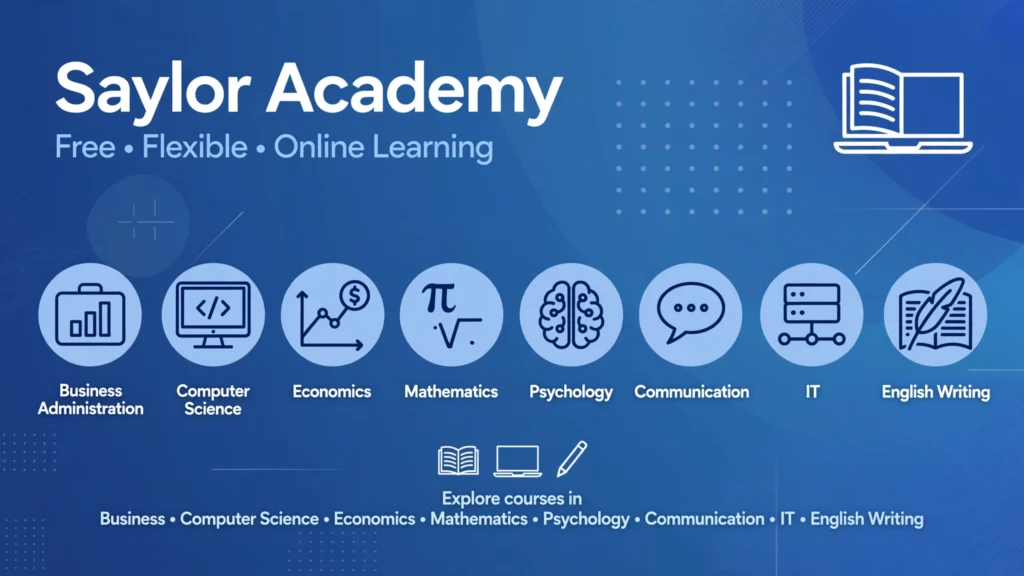
Saylor Academy is a nonprofit educational organization that provides free online courses in academic and professional subjects.
It is particularly interesting for people who want a more structured learning experience without paying course tuition.
Its courses typically include learning materials and assessments that help learners evaluate their understanding.
What can you learn?
Business administration
Computer science
Economics
Mathematics
Psychology
Communication
Information technology
English and writing
What is free?
Saylor provides free access to its online courses and learning materials, including readings, videos, and assessments.
Are certificates free?
Yes. Learners can earn free digital course-completion certificates by passing the required final examination. The passing requirement is generally 70% or higher.
Some separate credit-bearing examination arrangements may involve fees.
Who should use it?
College students, independent learners, job seekers, and people interested in structured academic learning.
Important limitation: Saylor’s course-completion certificates are not the same as university degrees or accredited qualifications. Check individual credit-transfer arrangements with your educational institution.
Saylor University+2
13. Cisco Networking Academy
Visit Cisco Networking Academy
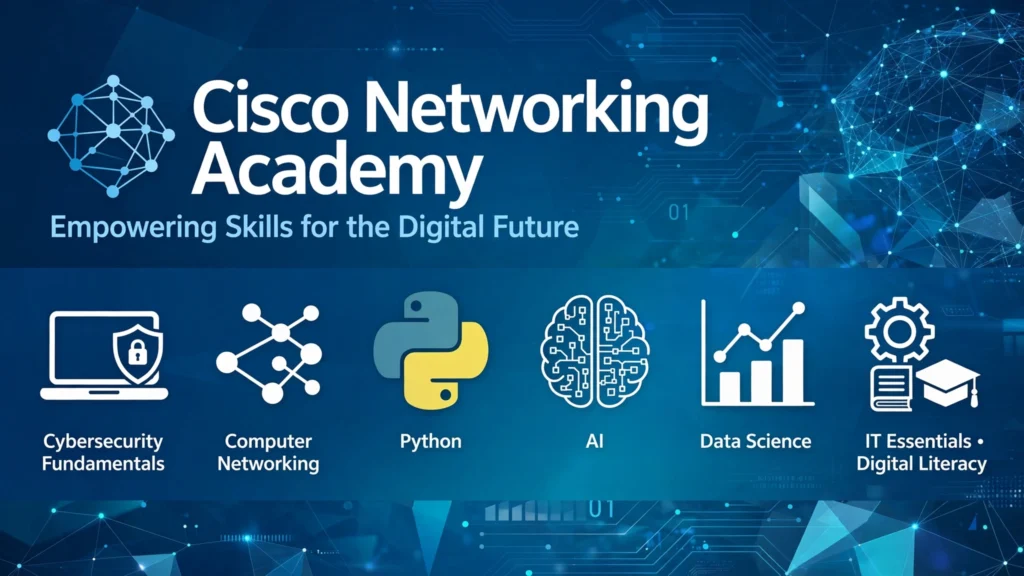
Cisco Networking Academy is a useful educational resource for people interested in information technology, computer networking, and cybersecurity.
It offers online courses and learning pathways that introduce learners to important technical concepts.
Beginners can start with introductory courses before moving towards more specialized topics.
What can you learn?
Cybersecurity fundamentals
Computer networking
Python programming
Artificial intelligence
Data science
IT essentials
Digital literacy
What is free?
Cisco provides a selection of free online courses. Some self-paced courses are available directly through its online learning platform.
Are certificates free?
Certain courses provide free digital badges or completion recognition. However, professional Cisco certification examinations and some instructor-led training programs may involve fees.
Who should use it?
IT students, cybersecurity beginners, aspiring network professionals, and people interested in technology careers.
Important limitation: Not every course or professional credential is free. Check the course catalogue for the specific learning pathway and its requirements.
Cisco Networking Academy+1
14. IBM SkillsBuild

IBM SkillsBuild helps learners develop technology and workplace skills through online educational resources.
The platform is particularly useful for people who want to explore emerging technologies and prepare for professional opportunities.
Its learning resources include courses, hands-on activities, and selected career-focused learning pathways.
What can you learn?
Artificial intelligence
Cybersecurity
Data science
Cloud computing
Professional development
Workplace communication
Technology fundamentals
What is free?
IBM SkillsBuild provides free learning opportunities, including self-paced courses and selected hands-on learning experiences.
Are certificates free?
Eligible courses and learning pathways offer IBM digital credentials or badges without a course tuition fee. Check the individual program requirements.
Who should use it?
Students, job seekers, beginners interested in technology, and people developing digital workplace skills.
Important limitation: Some opportunities are designed for particular learner groups or participating institutions. Check eligibility and credential requirements before starting.
Free AI & Career Skills Training
15. Google’s Grow with Google
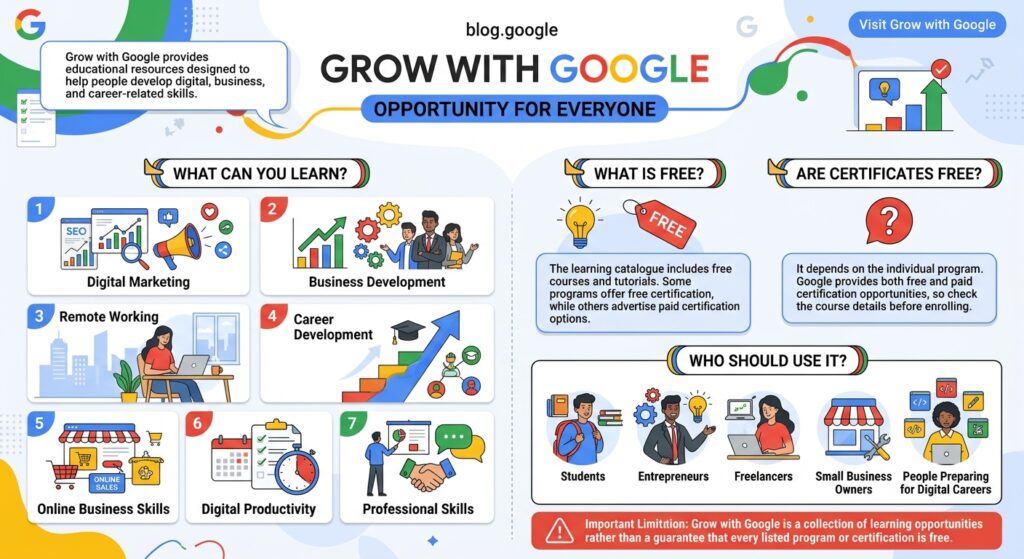
Grow with Google provides educational resources designed to help people develop digital, business, and career-related skills.
It is a useful starting point for learners who want practical knowledge that can support their professional development or small business activities.
The platform includes learning opportunities for different experience levels and goals.
What can you learn?
Business development
Remote working
Career development
Online business skills
Digital productivity
Professional skills
What is free?
The learning catalogue includes free courses and tutorials. Some programs offer free certification, while others advertise paid certification options.
Are certificates free?
It depends on the individual program. Google provides both free and paid certification opportunities, so check the course details before enrolling.
Who should use it?
Students, entrepreneurs, freelancers, small business owners, and people preparing for digital careers.
Important limitation: Grow with Google is a collection of learning opportunities rather than a guarantee that every listed program or certification is free.
Grow with Google APAC
Comparison of the Best Free Online Learning Websites
Choosing between different online learning websites can be difficult, especially when their free-access policies are different.
The following table provides a quick overview of the platforms discussed above.
| Platform | Best for | Free learning | Certificate |
|---|---|---|---|
| Coursera | University courses | Previews and selected options | Usually paid |
| edX | Academic subjects | Audit options | Paid |
| Khan Academy | School subjects | Yes | No conventional certificate |
| Alison | Professional skills | Yes | Usually paid |
| OpenLearn | General education | Yes | Free statement and selected badges |
| MIT OCW | University-level study | Yes | Not available |
| freeCodeCamp | Programming | Yes | Free |
| Google Skillshop | Digital advertising | Yes | Free Google Ads certifications |
| Microsoft Learn | IT and technology | Yes | Learning achievements free; exams usually paid |
| HubSpot Academy | Digital marketing | Yes | Free eligible certifications |
| Harvard Online | Academic learning | Selected courses | Usually paid |
| Saylor Academy | Academic and career skills | Yes | Free |
| Cisco Networking Academy | Networking and cybersecurity | Selected courses | Selected free badges |
| IBM SkillsBuild | AI and career skills | Yes | Eligible free digital credentials |
| Grow with Google | Digital and business skills | Selected courses | Depends on program |
Certificate availability refers to the programs described in this article, not every course or credential offered by each organization. Access arrangements can change.
What Skills Can You Learn Through Free Online Learning Platforms?
One of the biggest advantages of online education is the variety of subjects available. You do not have to limit yourself to traditional academic courses. Many websites offer practical training that can help you develop skills for personal projects, freelancing, or professional work.
Here are some useful skill categories to explore.
1. Digital Marketing
Digital marketing is useful for businesses, bloggers, freelancers, and content creators.
You can learn:
Search engine optimization (SEO)
Social media marketing
Email marketing
Content marketing
Google Ads
Digital advertising
Recommended platforms: HubSpot Academy, Google Skillshop, and Coursera.
2. Programming and Web Development
If you are interested in technology, programming is a valuable area to explore.
Beginners can start with basic coding concepts and gradually learn to build websites and applications.
You can learn:
HTML and CSS
JavaScript
Python
Web development
Database management
Software development fundamentals
Recommended platforms: freeCodeCamp, Microsoft Learn, and Harvard Online Learning.
3. Graphic Design and Creative Skills
Creative skills can help you produce visual content for websites, businesses, social media, and personal projects.
You can explore:
Graphic design fundamentals
Visual communication
Digital illustration
Presentation design
Creative problem-solving
Recommended platforms: Coursera, edX, and other free educational resources.
For practical design tutorials, you can also explore software-specific learning resources from Canva and Adobe.
4. Business and Entrepreneurship
If you want to start a small business or improve your understanding of business operations, online courses can provide a useful foundation.
You can learn:
Business management
Entrepreneurship
Project management
Customer service
Sales strategies
Financial management fundamentals
Recommended platforms: Alison, Saylor Academy, Coursera, and HubSpot Academy.
5. Artificial Intelligence and Data Science
Artificial intelligence and data-related skills are increasingly important across different industries.
Beginners can explore introductory topics before moving towards more technical subjects.
You can learn:
Artificial intelligence fundamentals
Generative AI
Prompt writing
Data analysis
Python for data science
Machine learning fundamentals
Recommended platforms: IBM SkillsBuild, Microsoft Learn, edX, and Coursera.
6. Communication and Personal Development
Professional success also depends on skills that are not limited to technical knowledge.
You can develop:
English communication
Business writing
Public speaking
Leadership
Time management
Critical thinking
Problem-solving
Recommended platforms: OpenLearn, Alison, Saylor Academy, and Coursera.
How to Choose the Right Online Learning Platform
Not every educational website is suitable for every learner. A platform that works well for a programming student may not be the best option for someone interested in business or creative skills.
Before enrolling, consider the following factors.
1. Identify Your Learning Goal
Start by deciding what you actually want to achieve.
For example:
If you want to learn programming, explore freeCodeCamp.
If you want to improve your academic knowledge, try Khan Academy.
If you are interested in digital marketing, consider HubSpot Academy.
If you want university-level learning materials, explore MIT OpenCourseWare.
If you want free professional development courses, consider Alison or Saylor Academy.
Having a clear goal makes it easier to avoid spending time on unrelated courses.
2. Check Whether the Entire Course Is Free
One of the most important things to investigate is the platform’s pricing policy.
Some websites advertise free courses but provide only limited access to lessons.
Before enrolling, check:
Whether all lessons are available without payment.
Whether assignments and practice exercises are included.
Whether the course has a time limit.
Whether you need a paid subscription.
Whether you can access the materials after completing the course.
This simple check can prevent unexpected costs.
3. Understand the Certificate Policy
Certificates can be useful when documenting your professional development, but not every learner needs one.
If you are learning a skill for personal knowledge, free course materials may be enough.
However, if you want to add a credential to your CV or LinkedIn profile, investigate whether the platform provides a free certificate, a paid certificate, or another form of completion record.
Remember that a course-completion certificate does not automatically represent an accredited qualification or guarantee employer recognition.
4. Look for Practical Learning Opportunities
A good educational resource should help you understand and apply what you learn.
For example, a programming course should ideally include coding exercises or projects. A digital marketing course should help you understand how marketing strategies work in practical situations.
Look for:
Real-world examples
Interactive exercises
Quizzes and assessments
Practical assignments
Projects or portfolio activities
These activities can make learning more useful than watching lessons without practising.
5. Choose a Beginner-Friendly Course
If you are new to a subject, avoid immediately enrolling in advanced courses.
Look for courses labelled:
Beginner
Introduction
Fundamentals
Getting Started
Basic Skills
Starting with foundational knowledge makes it easier to understand more complicated topics later.
Tips for Learning New Skills Online Effectively
Finding a good learning platform is only the first step. Your progress depends on how consistently you study and apply what you learn.
Here are some practical ways to make online learning more productive.
1. Focus on One Skill at a Time
It is tempting to enrol in several courses covering different subjects. However, switching between unrelated topics can make it difficult to maintain progress.
Choose one main skill and concentrate on developing it before moving to another subject.
For example, if you want to become a web developer, begin with HTML and CSS before moving towards JavaScript.
2. Create a Realistic Study Schedule
You do not need to study for several hours every day.
Start with a manageable routine, such as 30–45 minutes of learning on most days of the week.
Consistency is generally more useful than studying intensively for one day and then stopping for several weeks.
3. Practise What You Learn
Do not rely entirely on watching videos or reading course materials.
Apply your knowledge through small activities.
Examples include:
Build a simple webpage after learning HTML.
Create a sample social media post after studying design.
Write a short article after learning content writing.
Prepare a basic marketing plan after studying digital marketing.
Analyse a small dataset after learning spreadsheet skills.
Practical work helps you understand how individual concepts fit together.
4. Take Notes and Review Important Lessons
Write down important concepts, useful definitions, and examples while studying.
You can keep your notes in a notebook or a digital document.
Reviewing them regularly can help you remember important information and identify topics that need more practice.
5. Build a Portfolio of Your Work
A portfolio is a collection of projects that demonstrates what you can do.
It can be particularly useful for people interested in freelancing, creative work, programming, and digital marketing.
For example, a beginner graphic designer can collect sample designs, while a web development student can publish completed projects online.
A portfolio provides practical evidence of your abilities beyond simply listing completed courses.
6. Avoid Collecting Certificates Without Learning
Completing multiple courses may look impressive, but certificates alone do not demonstrate that you can apply a skill.
Instead of enrolling in many unrelated programs, choose courses that support a clear learning goal.
Understand the lessons, complete the exercises, and create something using your new knowledge.
7. Use Free Learning Resources Together
You do not have to depend on one website for everything.
For example, someone learning web development could use freeCodeCamp for coding exercises, MIT OpenCourseWare for additional academic knowledge, and Microsoft Learn for relevant technology concepts.
Combining suitable resources can create a more complete learning experience without requiring a paid subscription.
Frequently Asked Questions (FAQs)
1. What are the best free online learning platforms?
Some useful free online learning platforms include Khan Academy, MIT OpenCourseWare, freeCodeCamp, OpenLearn, Saylor Academy, HubSpot Academy, and Microsoft Learn.
The best choice depends on your learning goals. For example, freeCodeCamp is useful for programming, while Khan Academy is particularly suitable for academic subjects.
2. Can I learn professional skills online for free?
Yes. Many websites offer free training in professional skills such as digital marketing, programming, business communication, data analysis, and cybersecurity.
Platforms such as HubSpot Academy, Google Skillshop, Microsoft Learn, and IBM SkillsBuild provide relevant learning opportunities.
However, developing professional-level ability usually requires practice beyond completing introductory courses.
3. Are free online courses worth it?
Yes, free online courses can be worthwhile if they provide relevant educational content and help you develop practical knowledge.
They are particularly useful for beginners who want to explore a subject before investing money in advanced training.
The value of a course depends on its content, quality, relevance, and how effectively you apply what you learn.
4. Which websites offer free online courses with certificates?
Several platforms provide free learning opportunities with free certificates, badges, or completion records.
Examples include:
freeCodeCamp: Free programming certifications after completing required projects.
Saylor Academy: Free digital course-completion certificates.
HubSpot Academy: Free certifications for eligible programs.
Google Skillshop: Free Google Ads certifications.
OpenLearn: Free Statements of Participation and selected digital badges.
IBM SkillsBuild: Free eligible digital credentials.
Always check individual course requirements before enrolling.
5. Can I get a job after completing free online courses?
Completing free online courses can help you develop knowledge and prepare for employment, but it does not guarantee a job.
Employers may also consider practical experience, technical abilities, communication skills, educational qualifications, and the requirements of the specific position.
To improve your opportunities, combine online learning with practical projects, a portfolio, and relevant work experience.
6. Are free online learning platforms available worldwide?
Many popular platforms are accessible to international learners, including people in Pakistan, India, the United States, the United Kingdom, and other countries.
However, some courses, certificates, payment options, and professional programs may have geographical restrictions.
Always review the eligibility requirements of a particular course before registering.
7. Do I need a university degree to take free online courses?
No. Many online learning platforms welcome beginners without university degrees.
Websites such as Khan Academy, freeCodeCamp, Alison, and OpenLearn offer learning opportunities that do not generally require formal academic qualifications.
Some advanced courses may recommend previous knowledge or experience, so check their prerequisites.
8. What is the difference between a free course and a free certificate?
A free course allows you to access educational materials without paying tuition fees.
A free certificate means you can also obtain a document or digital credential confirming completion without paying an additional certification fee.
These are two separate benefits. For example, Alison provides free course learning but generally charges for its optional certificates, while Saylor Academy provides both free courses and free completion certificates.
9. How many hours should I study online each day?
There is no universal study schedule that works for everyone.
Beginners can start with 30–60 minutes of focused learning each day, depending on their availability and the difficulty of the subject.
The most important factors are consistency, understanding, and practical application rather than the number of hours spent watching lessons.
10. Can I learn online without a computer?
Yes. Many educational platforms provide mobile-friendly websites and applications.
You can watch lessons, read educational materials, and complete certain exercises using a smartphone or tablet.
However, subjects such as programming, graphic design, and advanced data analysis are generally easier to practise with a computer.
Conclusion
Developing useful skills does not always require expensive courses or formal classroom education. With the right resources, you can explore new subjects, improve your knowledge, and build practical abilities through free online learning platforms.
Websites such as Khan Academy, freeCodeCamp, OpenLearn, MIT OpenCourseWare, HubSpot Academy, and Microsoft Learn offer different opportunities for beginners and experienced learners.
The best approach is to choose a platform that matches your interests, understand its free-access and certificate policies, and follow a consistent learning routine.
Remember that completing a course is only the beginning. The real value comes from applying your knowledge, practising regularly, and building skills that you can use in everyday life or your professional career.
You do not need to learn everything at once. Choose one useful skill, find a suitable free course, and take the first step towards improving your knowledge today.





















Leave a Comment
Your email address will not be published. Required fields are marked with *